Your home stays
the same.It just gets
smarter.
ioNivelo fits behind the switchboard you already have. Four channels, a real fan regulator, and an app that talks to the device on your own Wi-Fi, with no cloud in the middle.
- Living room
- Bedroom
- Fan
- Lights
- ioNivelo
- Local-first

- Ceiling fan
- Ceiling light
- ioNivelo
- Ceiling fan
- ioNivelo
- Ceiling fan
- ioNivelo
- No devices
Same switchboard. A second way in.
Nobody in the house has to learn anything. The switch on the wall is still the fastest way to turn on a light. The app is just there for when you're not standing next to it.
The switch didn't move, and it doesn't need to. A relay behind a mechanical toggle can't throw the toggle. Whatever position it's sitting in, the next flip toggles.
Flip a switch on the plate, or tap a tile in the app. Both work, and both stay in sync. Watch the difference: a wall flip is confirmed the moment it happens, while a tap from the app stays an outline until the device itself answers. The app never fills a tile it hasn't heard back about.
So what actually happens when the internet goes?
Flip the switches. We'll show you exactly what still works, and exactly what doesn't. Both matter.
Your Wi-Fi is still your Wi-Fi.
The broadband being down doesn't take your router down. The app talks to the device directly, at full speed, exactly like it does every other day.
The honest catch: the app can't cold-start with the internet down. If it was already open, you're fine. If you'd force-closed it, you're back to the wall switch, which is exactly where everyone else already is.
A fan regulator. Not a fan on/off.
Three, four or five real speed steps. Whatever your fan is wired for, the device tells the app. And it remembers the speed separately from on/off, so off-then-on comes back at speed 3, not speed 1.
SPEED 3 / 5
Drag the dial, tap a detent, or focus it and use the arrow keys. It is a real slider underneath. The fan speed relays are wired into the fan's live wire and select the motor capacitor, which is why the speed survives a power cut: it is written to the device's own storage, not to a server.
The switch on the wall stays. This goes behind it.
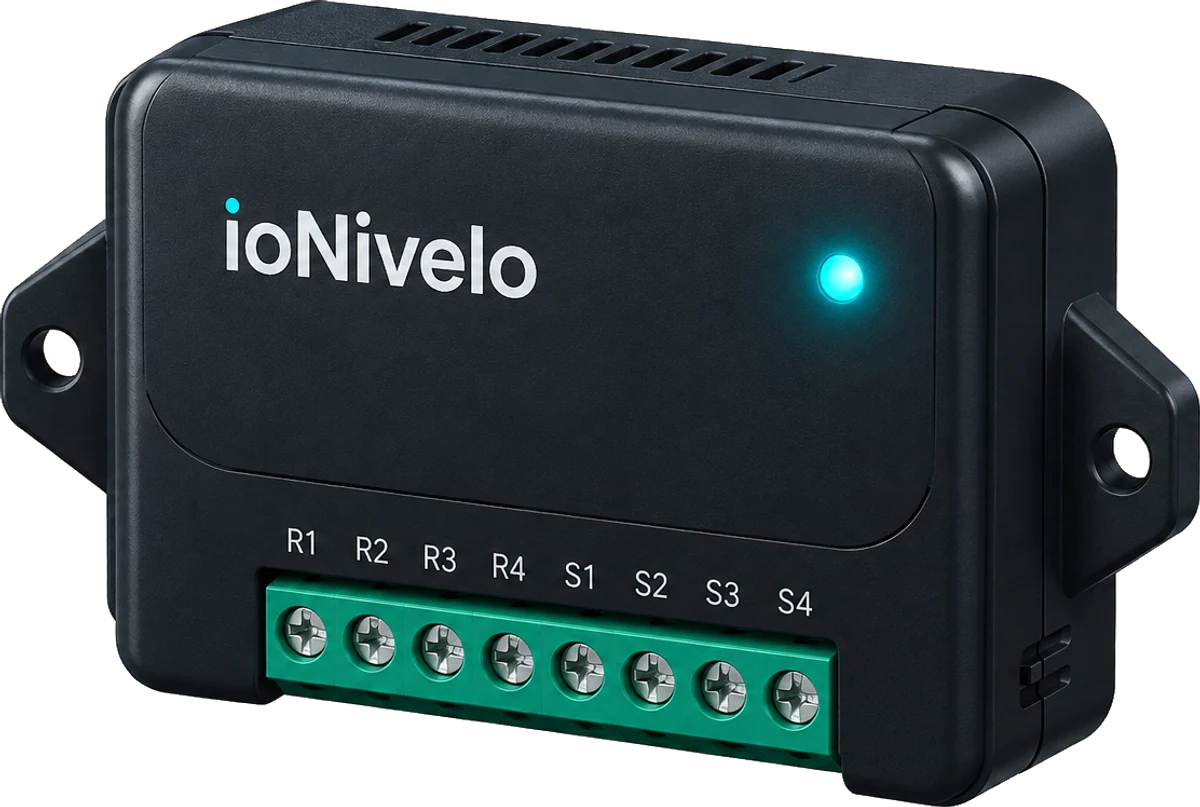
ioNivelo sits in the back-box behind the switchboard you already have. Nothing on the wall changes; every channel just gets a second way to be switched.
- 01
Your existing wall switch
Untouched. Same plate, same rockers, same feel under your thumb.
- 02
ioNivelo, behind it
A 10 cm module in the back-box: four relay channels and a real fan regulator, wired to the switches you already have.
- 03
A second way in
The app, the schedule, the phone in your hand — talking to the module on your own Wi-Fi.
The important parts don't live in a data centre.
Its own broker
Your phone connects to the device, not to us. On your home Wi-Fi that's sub-second, and the command never leaves the house.
Its own clock
Your 6pm porch light fires whether or not the internet is up. The device keeps time itself and runs the schedule locally.
Its own memory
Relay state and fan speed are written to the device. After a power cut it comes back exactly as you left it, with no wrong-state flicker at boot.
The things we won't pretend about.
- Away from home, it's a check-in, not a push.
- The device asks for new instructions every 15 seconds. Worst case, about twenty seconds from tap to click. At home on your Wi-Fi it's under a second.
- The app can't cold-start with the internet down.
- If it's already open, local control keeps working. If you'd force-closed it, you're back to the wall switch, which is exactly where you started, and it works.
- We install it. You don't.
- Your Wi-Fi is written into the unit and it's fitted behind your board by our team. No QR codes, no pairing screen, no “device not found”.
- Four channels per unit.
- Three lights and a fan, or four lights. Bigger board, second unit.
- Toggle switches only.
- The old-style flip switches. Push-button switches double-toggle, so we swap them during the install.
- Fan speed and schedules need the right hardware.
- Both are ESP32-only, and the fan needs the speed relays wired to your regulator. We confirm what your fan supports during the survey.
- No app store listing yet.
- We put the app on your phone when we install, and update it for you until it's listed.
We'd rather you read this now than find it out later. If any of it is a dealbreaker, tell us on the call and we'll say so honestly rather than sell you a box.
We install it. That's not a limitation. It's the point.
Retrofitting a live 230 V switchboard is not a DIY job, and we won't pretend it is. A trained installer does the whole thing.
Book a visit.
Tell us how many switchboards, and what your fan regulator looks like. Ten minutes on WhatsApp.
We fit it.
Your Wi-Fi goes into the unit, the unit goes behind your existing plate. Nothing on the wall changes. About an hour per board.
We hand you your phone, working.
App installed, channels named, and the fan speeds already matched to your fan before we leave.
We'll confirm we cover your area before anything else.
Book an install.
Tell us how many switchboards and we'll tell you what it costs. No deposit to ask.
Early access. We're installing in a small number of homes while we finish the app store release, so we fit and support every unit ourselves, and we'll tell you honestly if your switchboard isn't a fit.